Parent Dashboard
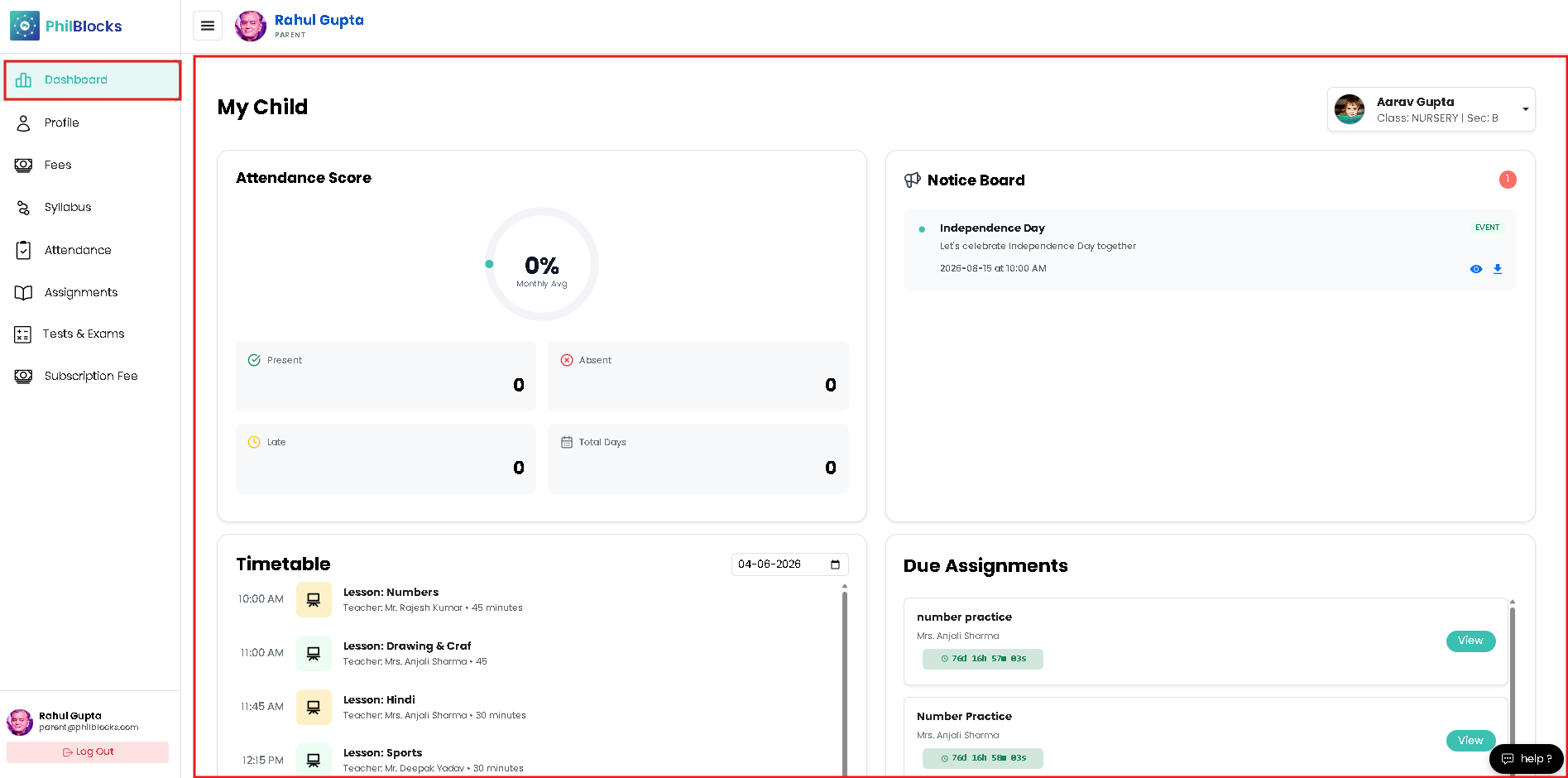
Use the Parent Dashboard as your main control center. Follow these steps to review your child’s school status quickly.
- Open the Dashboard from the left menu.
- Check the Attendance Score card for monthly presence details.
- Review the Notice Board for announcements and upcoming events like Independence Day.
- Look at the Timetable section to see today’s classes and lesson times.
- Check Due Assignments to see homework that needs attention.
- Click any card or item to open details and take action.
What you can see here
- Attendance summary with Present, Absent, Late, and Total Days.
- Upcoming lessons and schedule for the selected date.
- Important notices from the school.
- Assignment deadlines and submission status.