Subscription Fee
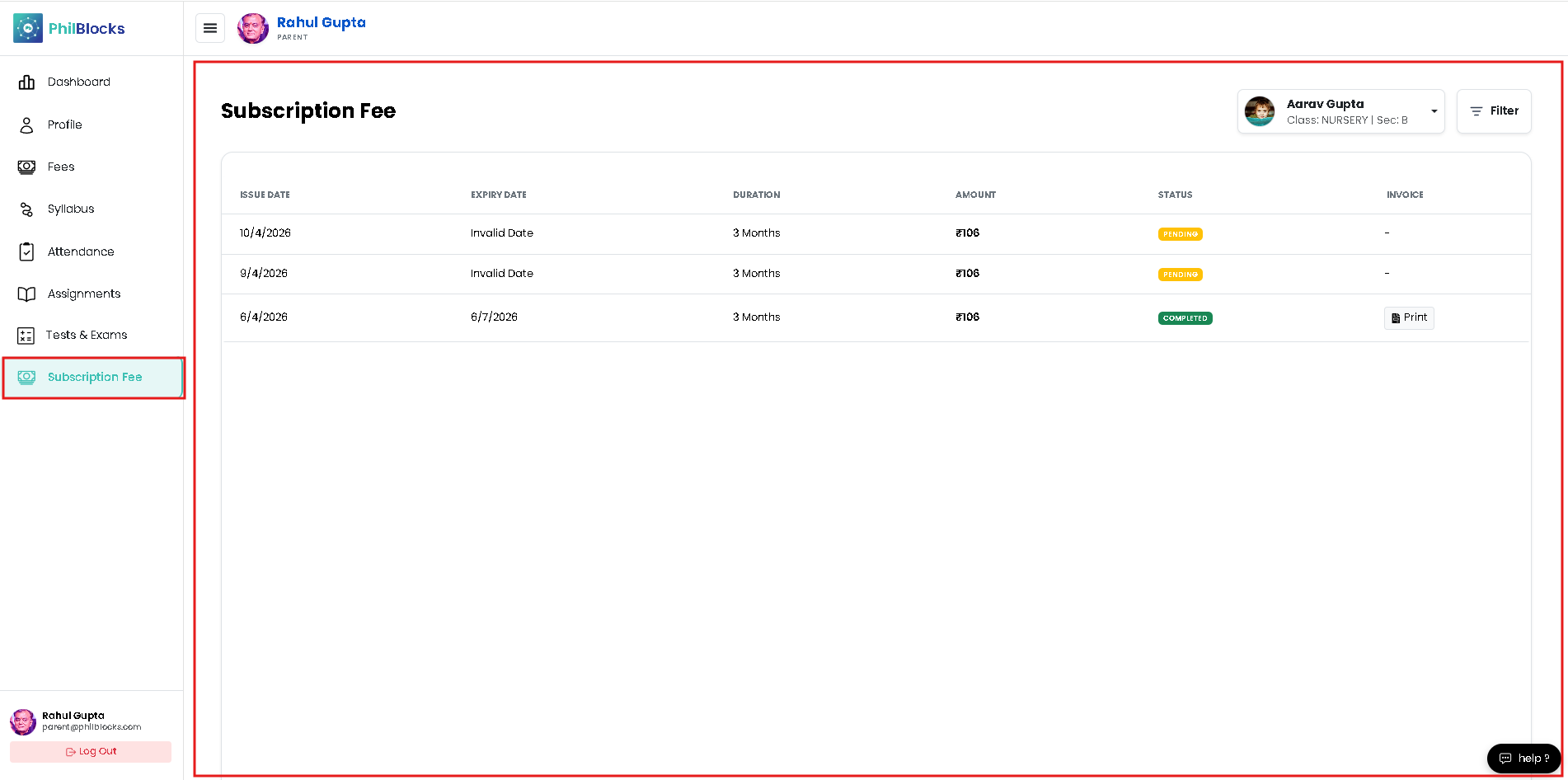
Review and manage your child’s subscription payments in a clear, step-by-step layout.
How to use this page
- Click Subscription Fee from the left menu.
- View the billing table with issue dates, expiry dates, durations, amounts, and statuses.
- Check each invoice status:
- Pending for unpaid items
- Completed for paid invoices
- Upcoming for future billing
- Print or download a receipt from the invoice controls.
- Update your payment method if any billing information needs to change.
What you can do here
- See past and current subscription records.
- Track payment status for each billing cycle.
- Print invoices or receipts when needed.
- Confirm subscription duration and expiry.
Quick tips
- If a date is missing or invalid, contact the school office for correction.
- Check this page monthly to ensure all pending payments are completed.
- Use the filter tools to find a specific invoice quickly.