Tests & Exams
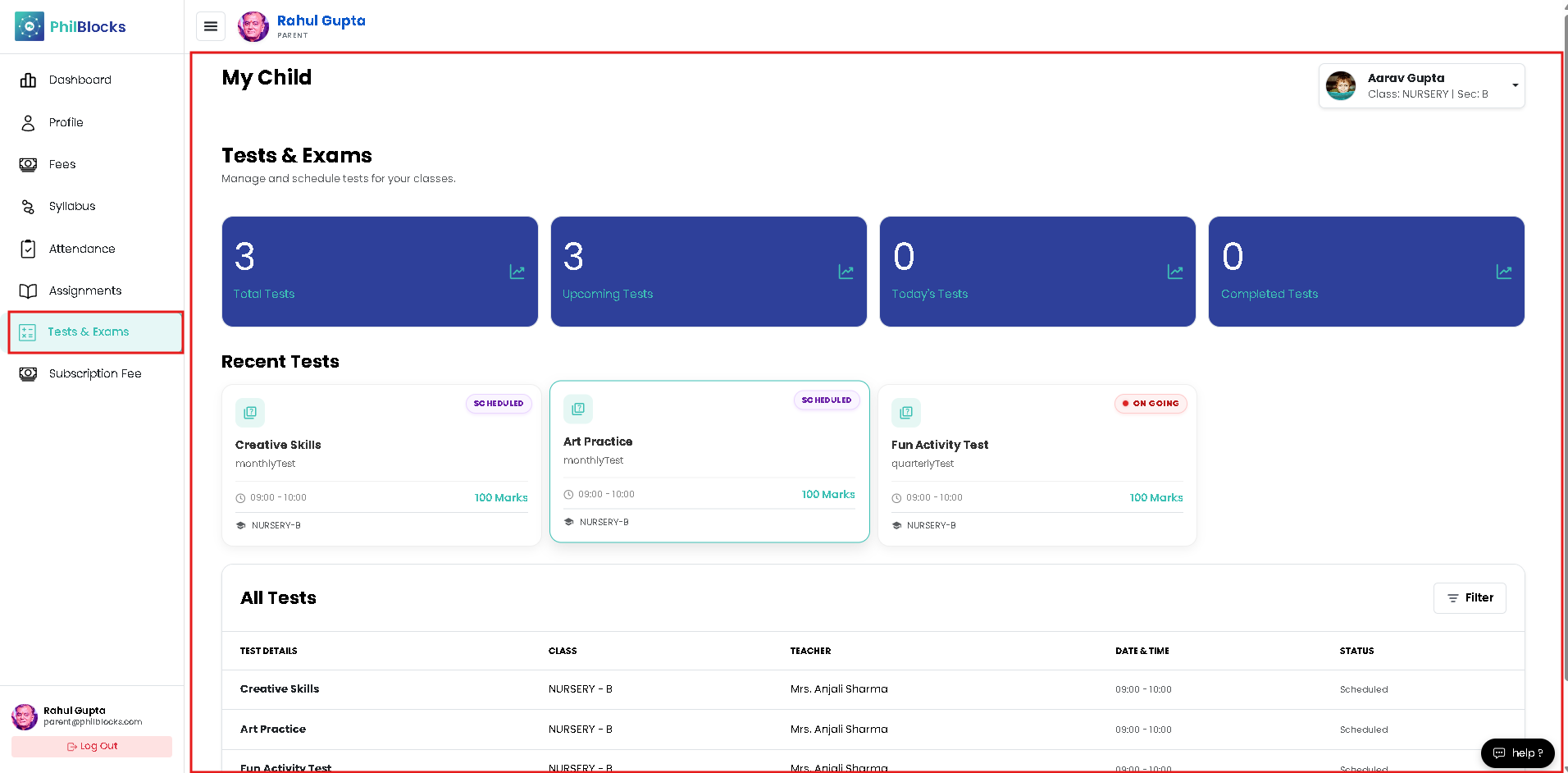
Use the Tests & Exams page to monitor your child’s exam schedule and performance.
Step-by-step guide
- Click Tests & Exams in the left sidebar.
- Review the top summary cards for a quick view of:
- Total tests
- Upcoming tests
- Today’s tests
- Completed tests
- Scroll to the Recent Tests section to see the most important upcoming or ongoing exams.
- Check the All Tests table for class, teacher, date/time, and status details.
- Click a test item to open full instructions and preparation notes.
What this page helps you do
- Track all scheduled exams in one place.
- See which tests are coming soon.
- Know the exact date, time, and subject for each test.
- Monitor whether a test is scheduled, ongoing, or completed.
Quick tips
- Use the filter controls to find tests by subject or status.
- Confirm any exam details with the teacher if the schedule changes.
- Help your child prepare by reviewing the upcoming test list daily.