School Settings
Manage attendance rules, notification channels, and other school-wide preferences from this page.
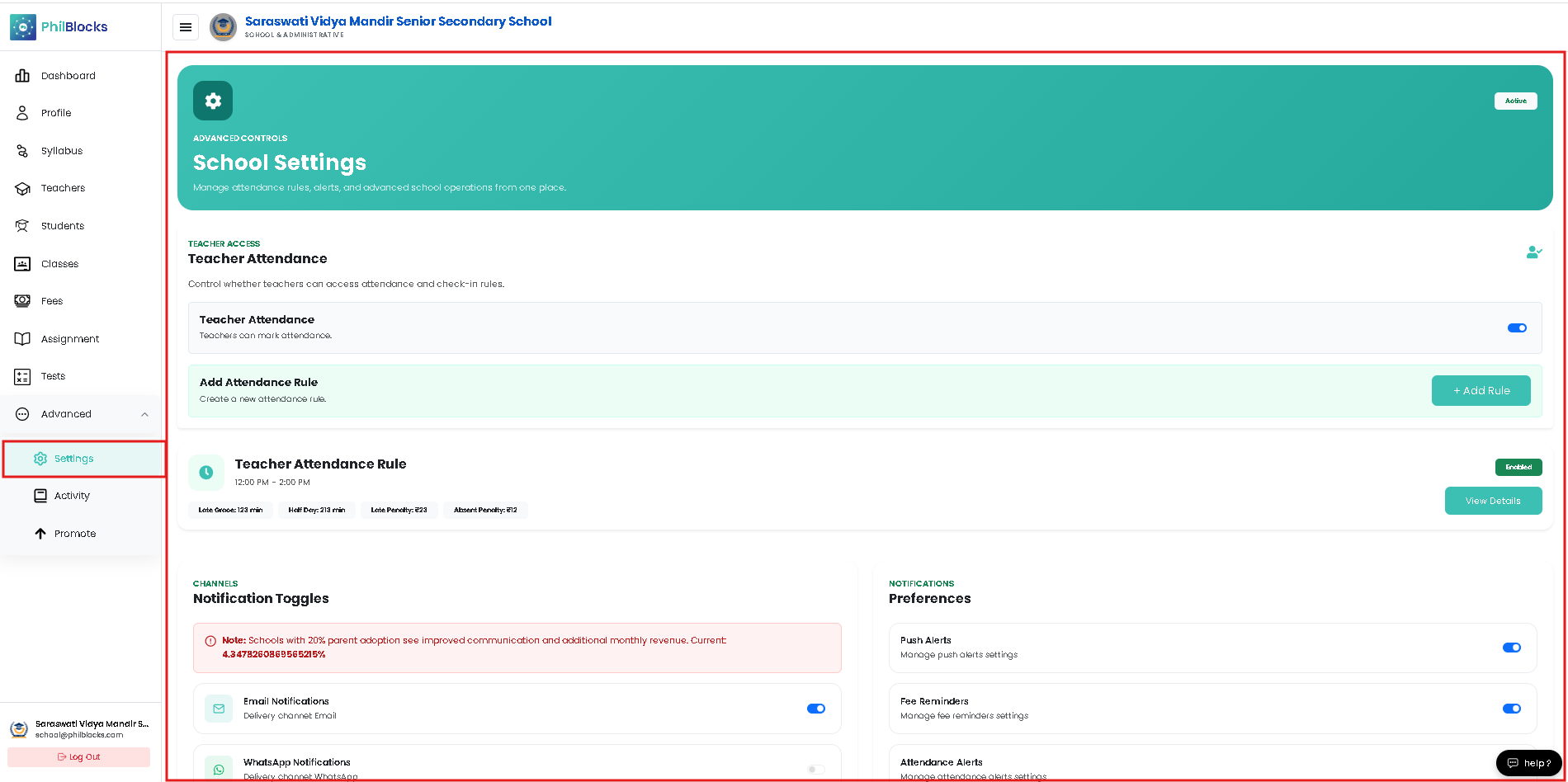 Use the controls below to enable features for teachers, configure attendance rules, and manage notification preferences for Email, WhatsApp, and Push
Teacher Attendance
This area controls whether teachers can access attendance, set check-in rules, and define penalties or grace periods. The following example matches the admin UI in the screenshots.
Add / Edit Attendance Rule
Use the Add Attendance Rule modal to set Start/End time, grace minutes, and penalty amounts. Example form values:
Start Time: 09:00    End Time: 16:00
Late Grace (mins): 30
Early Leave Grace (mins): 15
Absent Early Leave (mins): 240
Late Penalty Amount: 50
Half Day Penalty Amount: 500
Absent Penalty Amount: 1000
Actions: Add Rule · Edit Rule · View Details
(Modal screenshots omitted.)
Active Rule Preview
The active rule preview shows the applied times and penalties. Use the "View Details" button to open a detailed modal with cards for each value (late grace, half-day, penalties).
Notification Channels
Manage which channels are available for reminders, fee notices, and push alerts. You can enable or disable channels globally and configure default preferences for each school.
Channels
- Email Notifications — delivery: Email
- WhatsApp Notifications — delivery: WhatsApp
- Push Notifications — delivery: Push
Preferences
- Push Alerts — Manage push alert defaults
- Fee Reminders — Default templates and schedule
- Attendance Alerts — Thresholds and recipients
- Activity Digest — Frequency and included items
(Channel screenshots omitted.)
Best Practices
- Review attendance rules after major schedule or timetable changes.
- Encourage parents to enable at least one channel (Email or WhatsApp) for critical alerts.
- Keep penalty and grace values aligned with official school policy and communicate changes to staff.