📝 Assignments
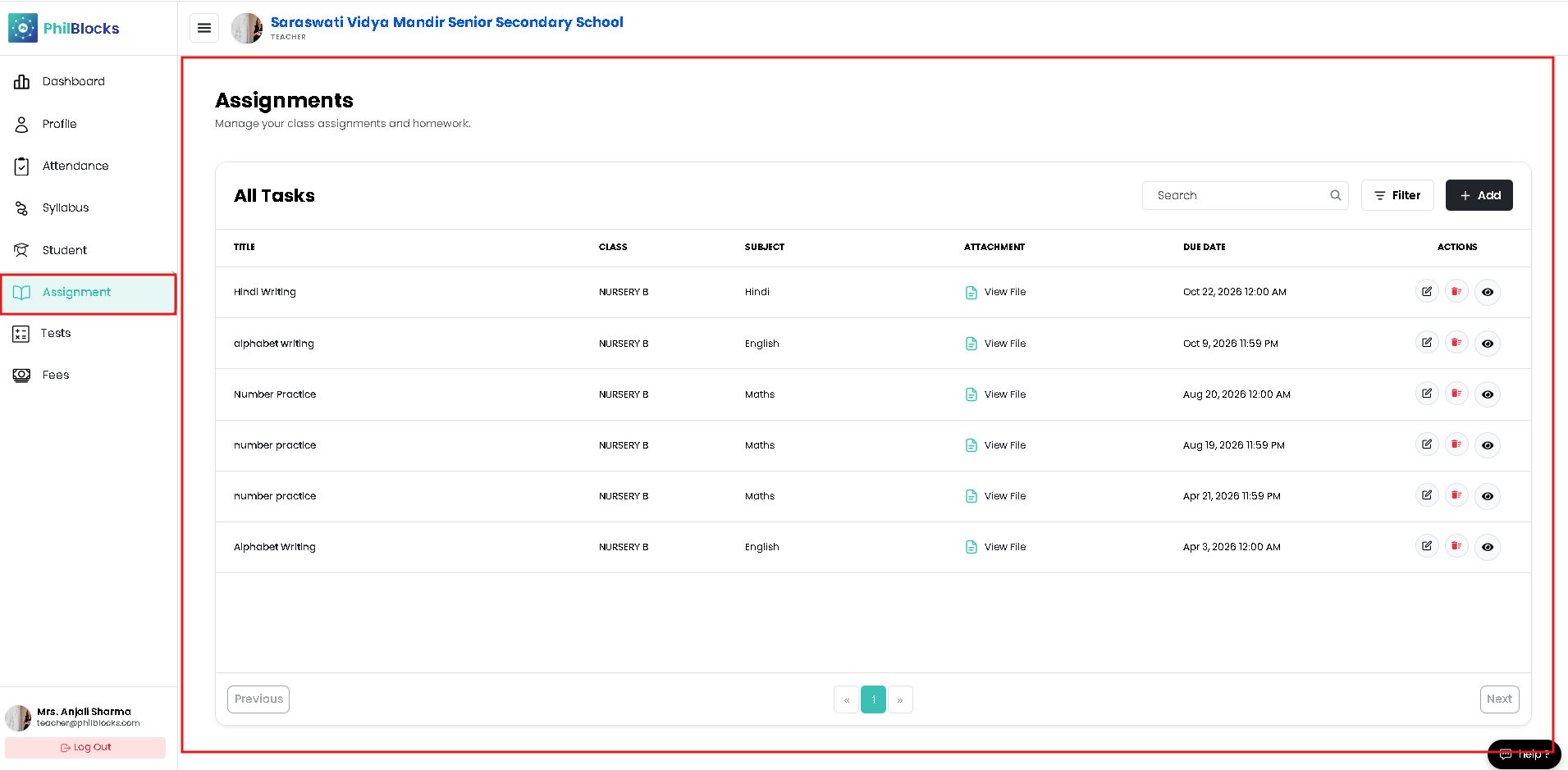
The Assignments page lets teachers manage class work, homework, and study materials from a single screen.
All Tasks Table
The main table displays all assignments with:
- Title of the task
- Class assigned
- Subject or topic
- Attachment link for supporting files
- Due Date and deadline details
- Actions for edit, delete, or view
Use the search box to find assignments quickly and the filter button to narrow the list by class or subject.
Add New Assignment
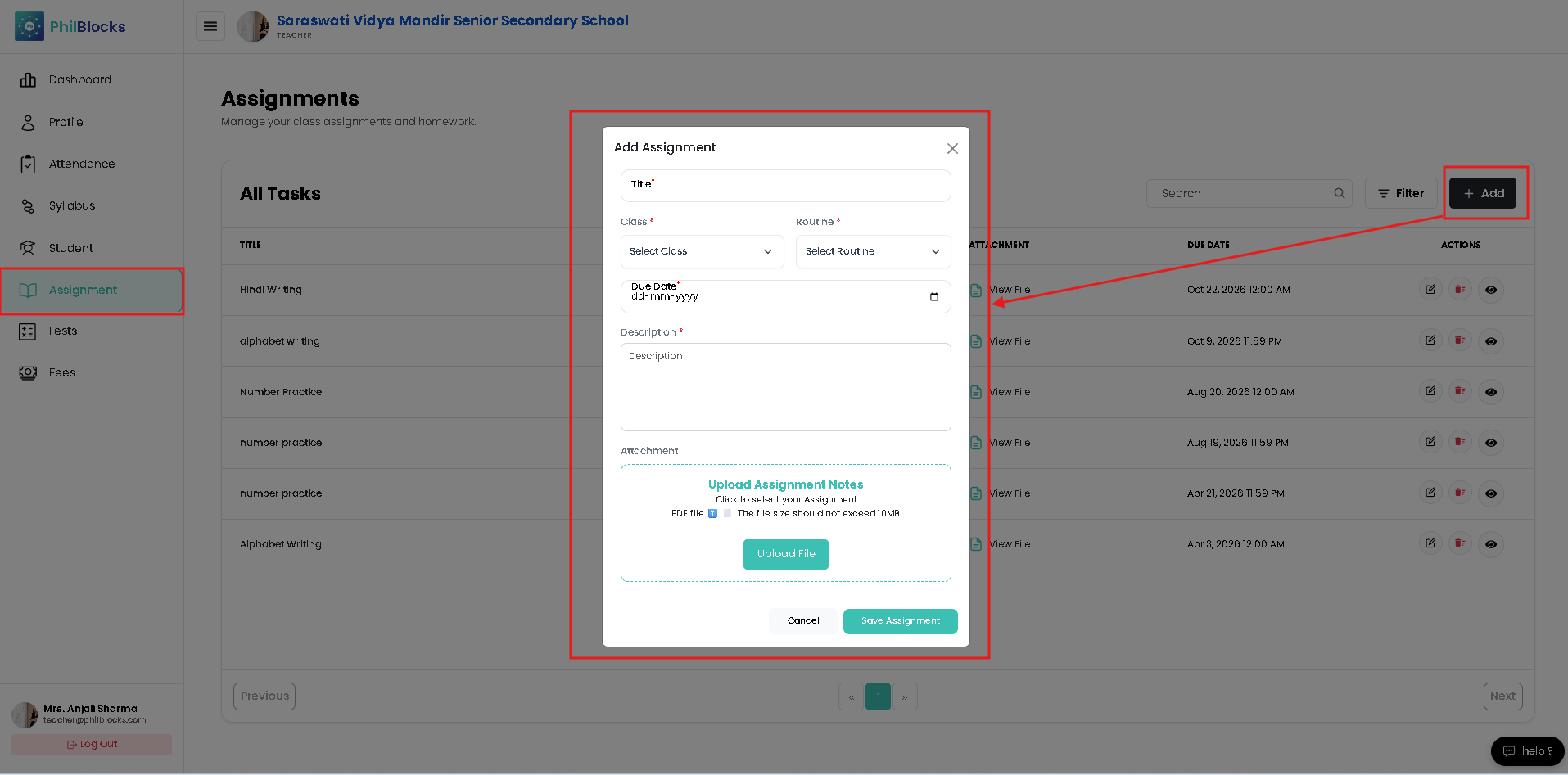
Click Add to open the assignment modal. The form contains:
- Title field
- Class selector
- Routine / Subject selector
- Due Date picker
- Description box
- Attachment uploader for PDFs or images
This makes it easy to create assignments with all required information in one step.
Assignment Actions
Each row includes action icons for:
- Edit assignment details
- Delete or remove outdated tasks
- View the assignment details and attachments
Best Practices
- ✅ Use clear assignment titles and instructions.
- ✅ Attach notes or worksheets for every homework item.
- ✅ Set accurate due dates to keep students on track.
- ✅ Review the task table regularly and remove old assignments.