🗓️ Attendance Management
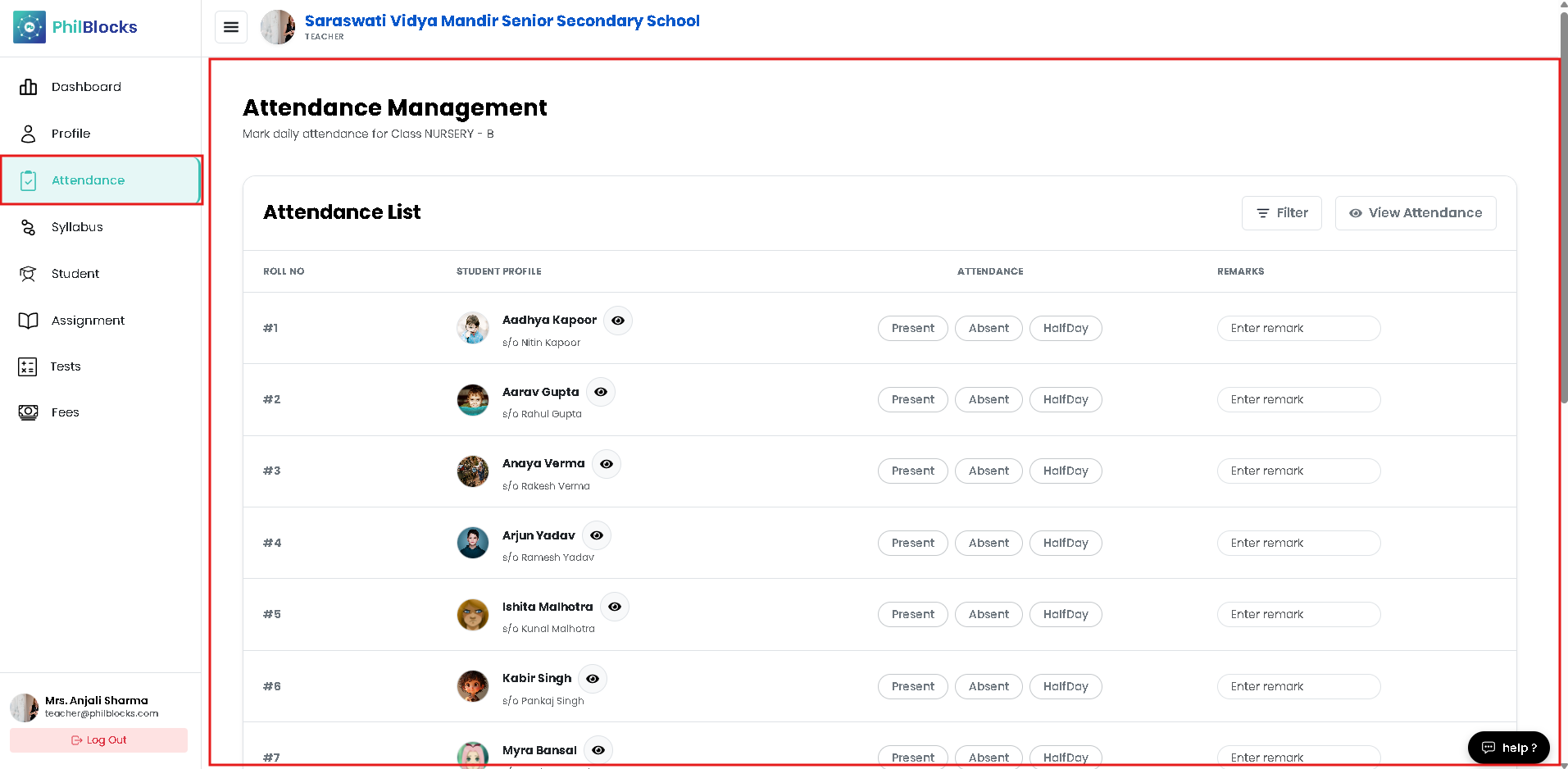
Manage daily attendance for your assigned class with a clear student list, status buttons, and summary cards.
Attendance Overview
- Class: Nursery B
- Section: B
- Date: 03 Jun 2026
- Total Students: Displayed in the summary card
Attendance List
The page shows a student table with:
- Roll No and student profile
- Attendance buttons for Present, Absent, and Half Day
- Remarks field for notes
- Filter and View Attendance controls
Daily Workflow
- Confirm the selected class and date.
- Use the attendance buttons for each student.
- Add remarks when required.
- Click the submit/save action to finalize attendance.
Summary Cards
The top summary section highlights:
- Present count
- Absent count
- Half / Late count
- Total Students
This helps teachers quickly gauge attendance status at a glance.
Detailed Attendance View
The class attendance detail screen includes:
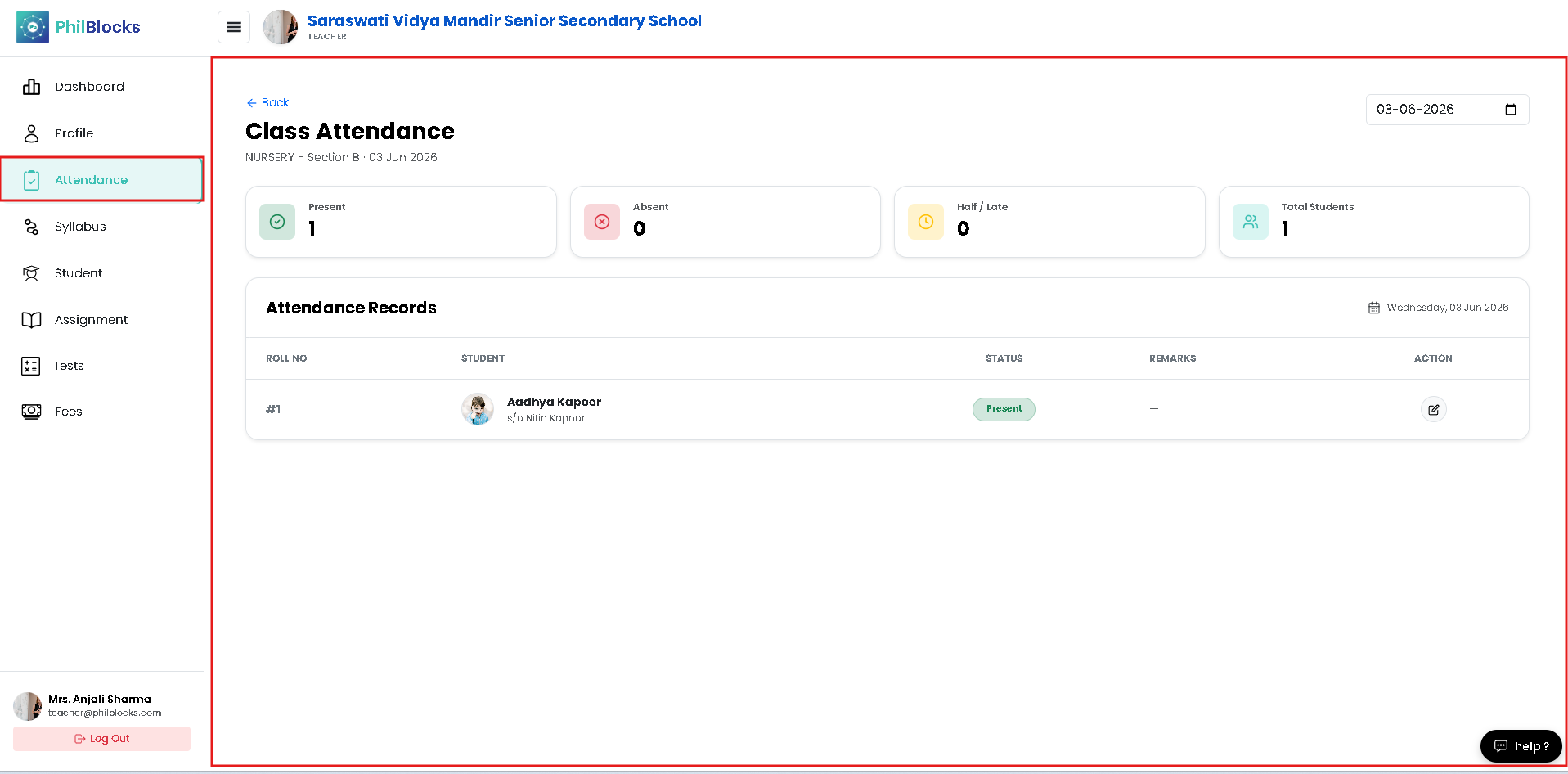
- A single row record view for each student
- Status tag showing Present, Absent, or Half Day
- Remarks and edit actions
- Cross-day date selection for reviewing earlier attendance records
Best Practices
- ✅ Complete attendance within the first 15 minutes.
- ✅ Add remarks for absent or half-day students.
- ✅ Use the view mode to verify submitted records.
- ✅ Filter students to find records quickly.