💰 Fees Management
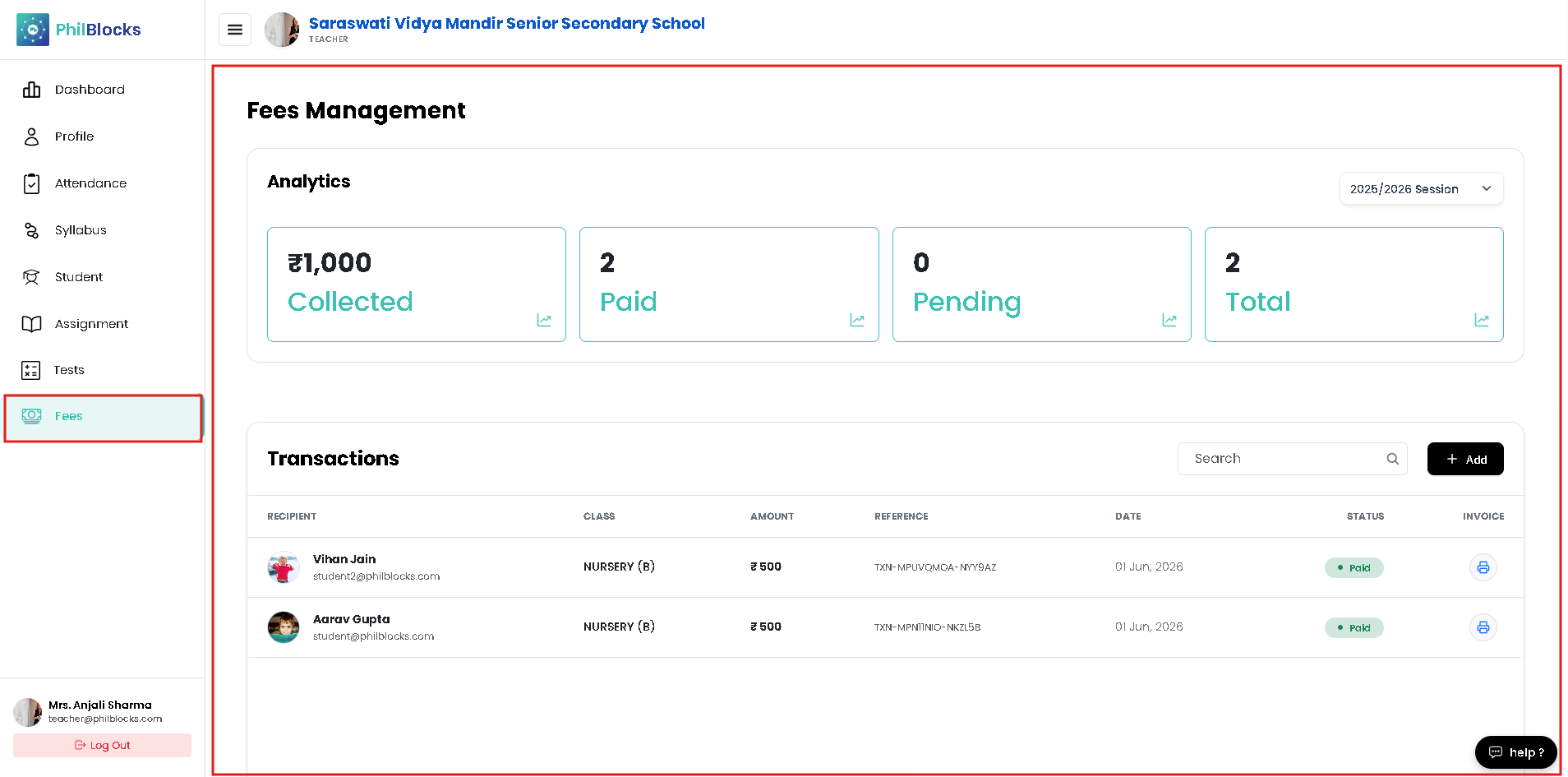
The Fees Management page helps teachers track fee collection, monitor payment status, and add new fee transactions when needed.
Analytics Overview
The top section displays key fee metrics for the selected session:
- Collected — total amount received so far.
- Paid — number of payments completed.
- Pending — number of payments still due.
- Total — total students or expected transactions.
This view helps teachers quickly understand the current fee collection status.
Transactions Table
The transaction table lists each fee payment with:
- Recipient name and email
- Class (e.g., Nursery B)
- Amount paid
- Reference transaction ID
- Date of payment
- Status badge for Paid/Pending
- Invoice print action
A search box and + Add button allow teachers to find specific records and add new transactions quickly.
Add Fees Transaction
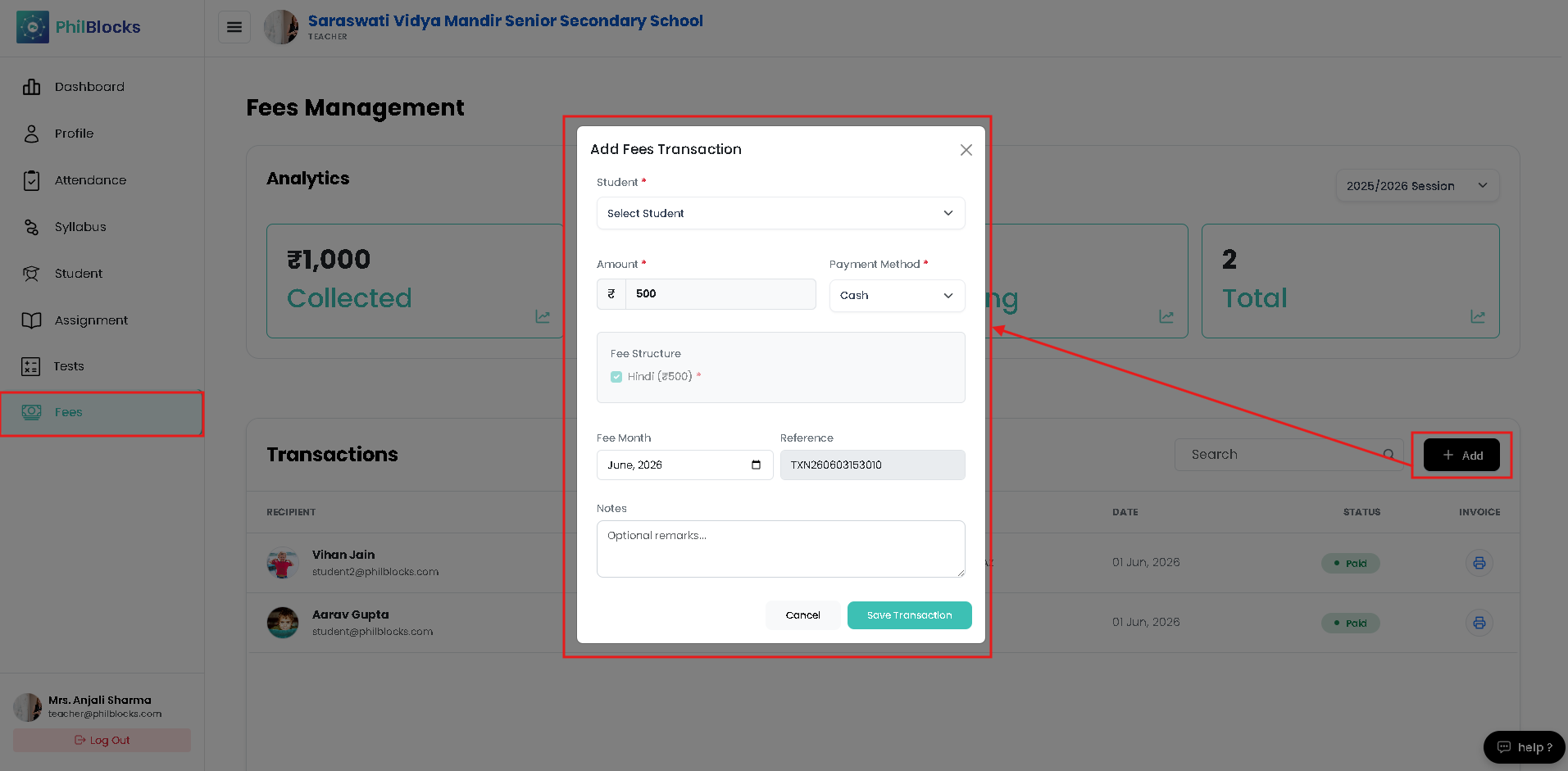
Teachers can create a new fee transaction using the Add button. The form includes:
- Student selector
- Amount field
- Payment method dropdown
- Fee structure details
- Fee month date picker
- Reference transaction ID
- Notes for optional remarks
This makes fee recording fast and consistent for teacher-managed payments.
Best Practices
- ✅ Use the session selector to review fees for the correct academic year.
- ✅ Confirm the student and class before saving a transaction.
- ✅ Keep reference IDs accurate for reconciliation.
- ✅ Print the invoice after recording the payment if needed.