🧪 Tests Management
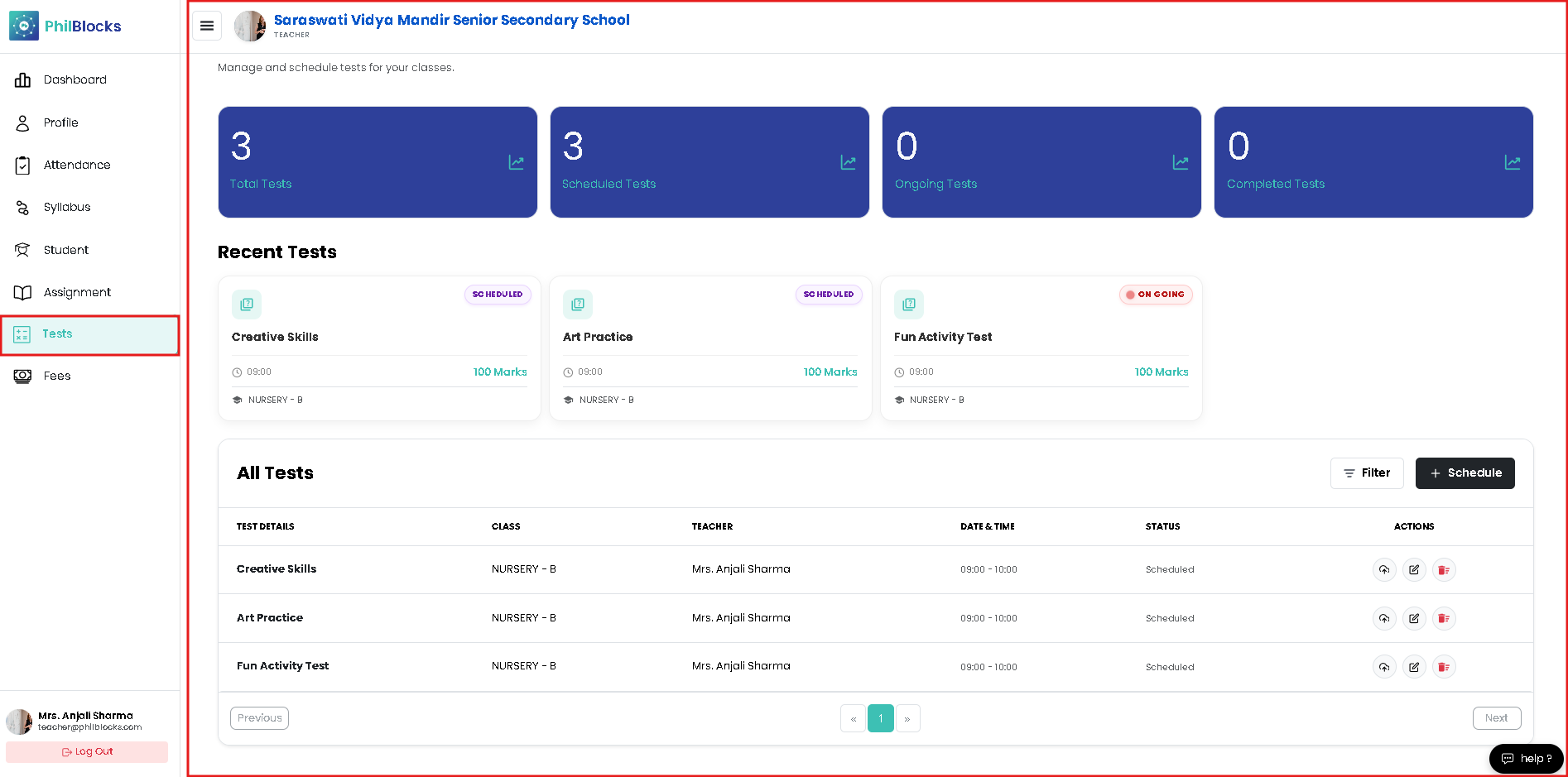
Manage and schedule tests for your classes with quick analytics, recent tests, and a full test roster.
Analytics Cards
The top section shows the current exam overview:
- Total Tests — number of tests created.
- Scheduled Tests — upcoming tests planned.
- Ongoing Tests — currently active tests.
- Completed Tests — finished assessments.
Use these cards to monitor test status at a glance.
Recent Tests
The Recent Tests section highlights the latest scheduled assessments with:
- Test title and status badge
- Scheduled time
- Class name
- Total marks
This helps teachers quickly review what is coming next.
All Tests Table
The full tests table includes:
- Test details and subject
- Class assigned
- Teacher name
- Date & Time
- Status (Scheduled, Ongoing, Completed)
- Actions to view, edit, or delete tests
A Filter button and Schedule button let teachers narrow records and add new tests.
Schedule New Test
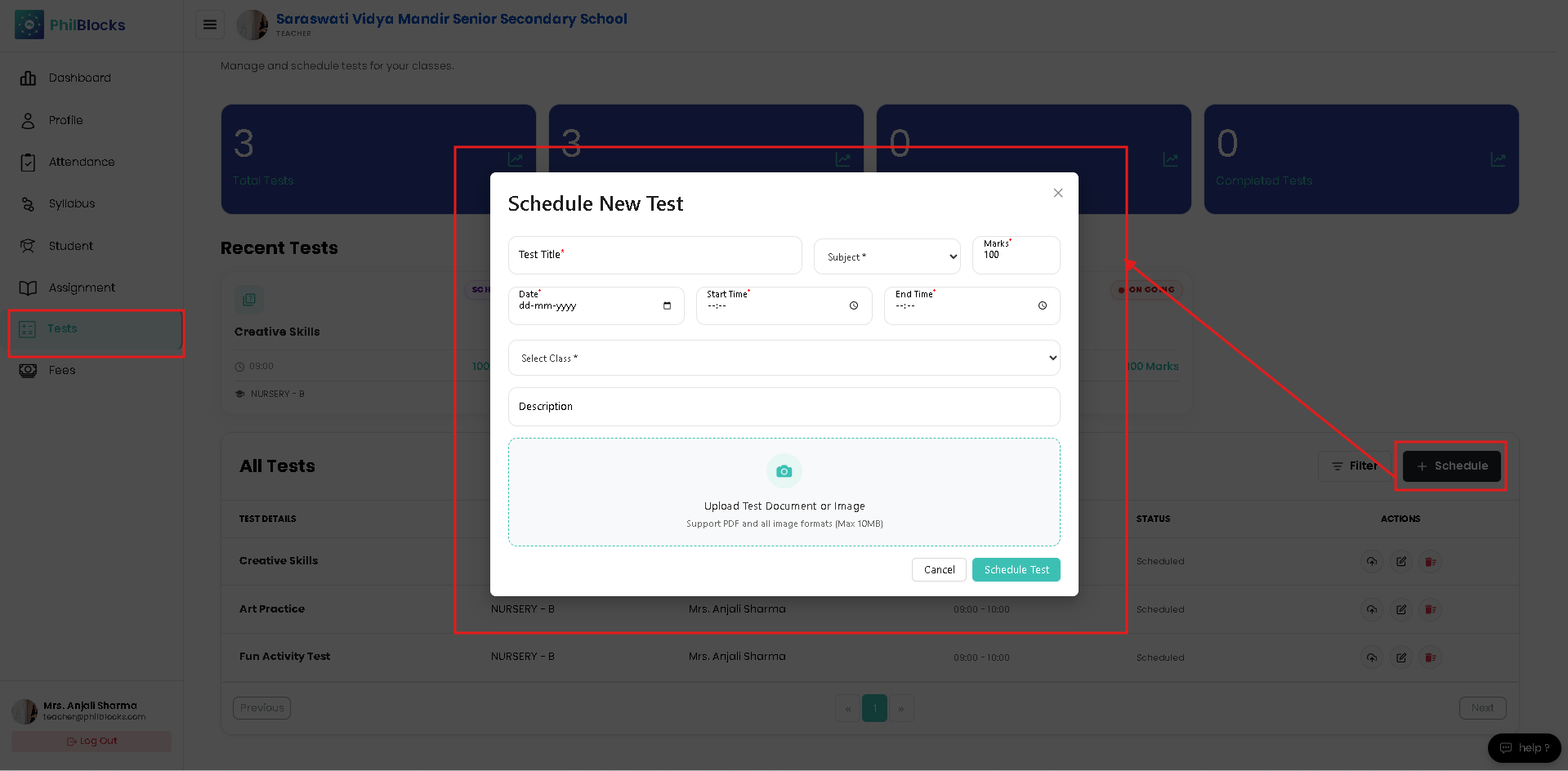
Click Schedule to open the new test modal. The form includes:
- Test Title and Subject
- Marks field
- Date picker
- Start Time and End Time
- Class selection
- Description field
- Upload area for test documents or images
Best Practices
- ✅ Keep test details clear and concise.
- ✅ Use accurate time slots to avoid scheduling conflicts.
- ✅ Upload supporting documents for students.
- ✅ Review the test roster regularly to ensure all classes are covered.